
CRV Viewer
Open, preview and export Vectric VCarve files on a Mac.
Version 2.0 · macOS 14 or later, Apple silicon and Intel
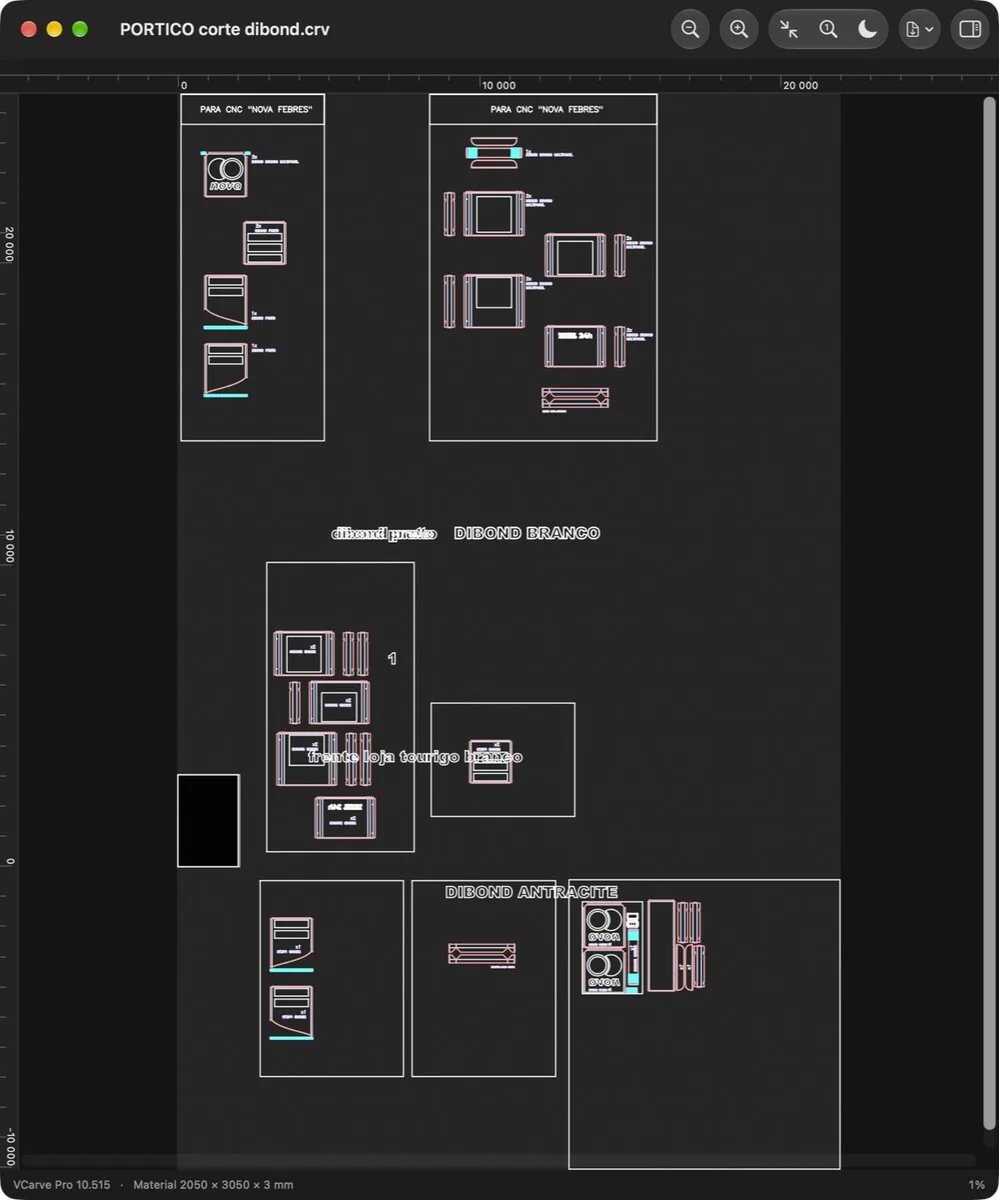
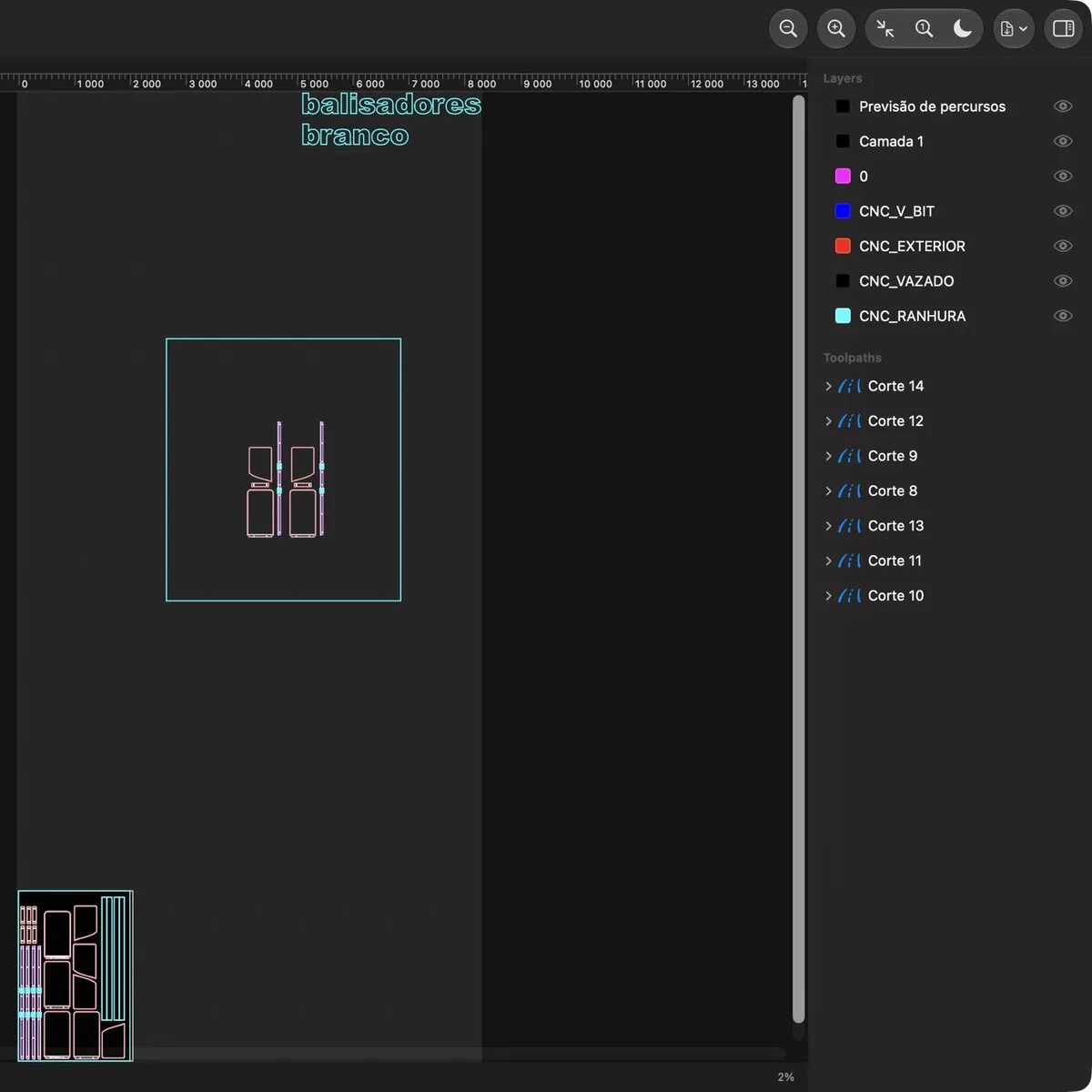
About
VCarve runs on the Windows PC next to the machine, but the jobs live everywhere. CRV Viewer makes your Mac read them: thumbnails in Finder, a preview when you press space, and a viewer for every layer and toolpath.
It reads the real geometry inside the file, lines, arcs, curves and text, and exports true vectors to PDF, SVG and DXF at 1:1 millimetres.
Comparing options? Read How to open VCarve .crv files on a Mac.
Features
- Finder thumbnails and Quick Look previews for .crv and .crv3d files
- A vector canvas with zoom, pan, millimetre rulers and shift-drag measuring
- Every layer in its own colour, each one switchable on and off
- Toolpaths with their bit, feed, plunge, spindle speed, depth and passes
- Export to PDF, SVG and DXF as real vectors at 1:1 scale
- Dark and light canvas, and automatic reload when the file changes
Versions
Updates are free, forever, and every earlier version stays downloadable.
- 2.0 · 28 October 2026
First release: Finder thumbnails, Quick Look previews, the viewer, and PDF, SVG and DXF export.
Questions
- What do I need to run it?
- A Mac with macOS 14 Sonoma or later. It runs natively on Apple silicon and on Intel.
- Do I need VCarve, Windows or Parallels?
- No. CRV Viewer is a native Mac app and reads .crv and .crv3d files on its own. You still need VCarve, on a PC or in Parallels, to edit a design or make toolpaths: CRV Viewer opens, checks and exports files, but doesn't change them.
- Can I convert a .crv file to DXF, SVG or PDF?
- Yes. Open it and export: you get real vectors at 1:1 millimetres, with hidden layers left out, and the DXF keeps your layer names. Toolpaths are not exported.
- Which files does it read?
- It is tested with files saved by VCarve Pro 10.5: vectors, arcs, curves, text, layer colours, material size and toolpath settings.
- Can it change my files?
- No. It is a viewer. It never writes to a .crv file, so nothing you open can be damaged.
- Will my Mac open it without warnings?
- Yes. The app is signed with a Developer ID and notarized by Apple, so it opens like any other app you download.
- How do the thumbnails and the space-bar preview start working?
- Move the app to Applications and open it once. That registers its Finder and Quick Look extensions.
- Does it send anything over the internet?
- No. It makes no network requests. Your files stay on your Mac.
- What happens when I pay?
- Stripe takes the payment, then you land on a page with your download, and we email you its link. That link is your receipt and lets you download again.
- Are updates free?
- Yes, forever. Your download link always has the newest version, and every earlier version stays available there too.
- I lost my download link.
- Enter the email you paid with at tinytoolshop.com/downloads and we'll send the link again.
- Is it a subscription?
- No. You pay once and the copy is yours. There are no tiers and no renewals.
- Can I get a refund?
- Yes, if the app doesn't work for you: if it can't open your files or won't run on your Mac, email hello@tinytoolshop.com within 30 days and we'll refund you in full.
- Where do my card details go?
- Only to Stripe's checkout page. This site never sees or stores them.
CRV Viewer is not made by or affiliated with Vectric Ltd. Vectric and VCarve are trademarks of Vectric Ltd.